Lotus is a Python program developed as a Business Intelligence tool with a Graphical User Interface (GUI). The program compares data sheets, finds broken cells and displays them with a report. The following sections describe how to use the Lotus program and provide an overview of its features.
This project reduced the time cost from days to 5 seconds using data analytics, and improved operational efficiency.
Before starting the Lotus program, the user must ensure that the required packages are installed on their computer. The program uses the following packages:
pandas tkinter datetime configparser If any of these packages are missing, the user should install them using the command pip install package_name.
To run the Lotus program, execute the main.py file. This will open the program's Graphical User Interface (GUI).
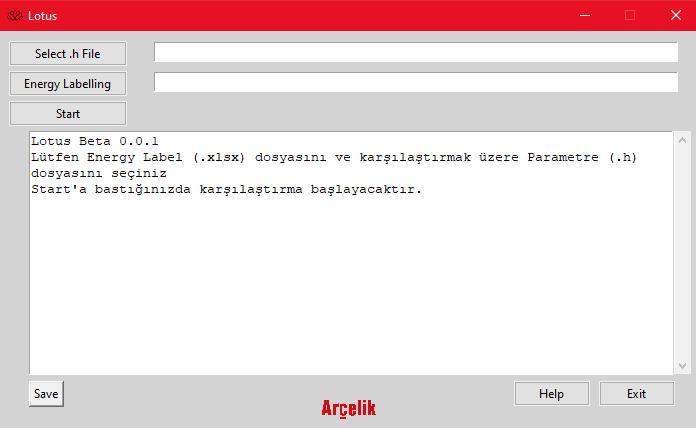
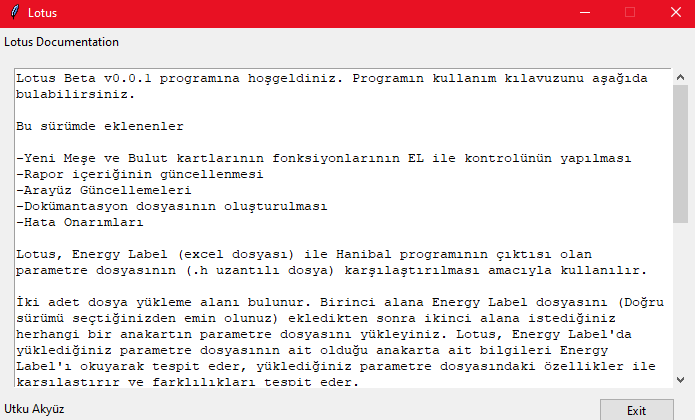
The Lotus program's GUI consists of several components, including:
Two buttons to select files: "Select .h File" and "Energy Labelling" A "Start" button to start the comparison process A "Save" button to save the results A "Help" button to show documentation When the user selects a file, the program displays the file path in the corresponding text box. The program has a text box to print the returned string and a scrollbar to scroll through the text box.
To use Lotus, follow these steps:
Open the Lotus program by executing the main.py file. Click the "Select .h File" button and choose a Parameter File (.h) to compare. Click the "Energy Labelling" button and choose an Energy Label (.xlsx) file to compare. Click the "Start" button to start the comparison process. The program will compare the files and display the results in the text box. The user can then save the results by clicking the "Save" button.
The Lotus program uses a configuration file (config.ini) to store replaceable data such as the sheet name or revision list. The user can modify this file to suit their needs.
The Lotus program depends on the following packages: pandas tkinter datetime configparser License This project is not licensed but for privacy purposes, energy labeling and parameter files can not be shared.