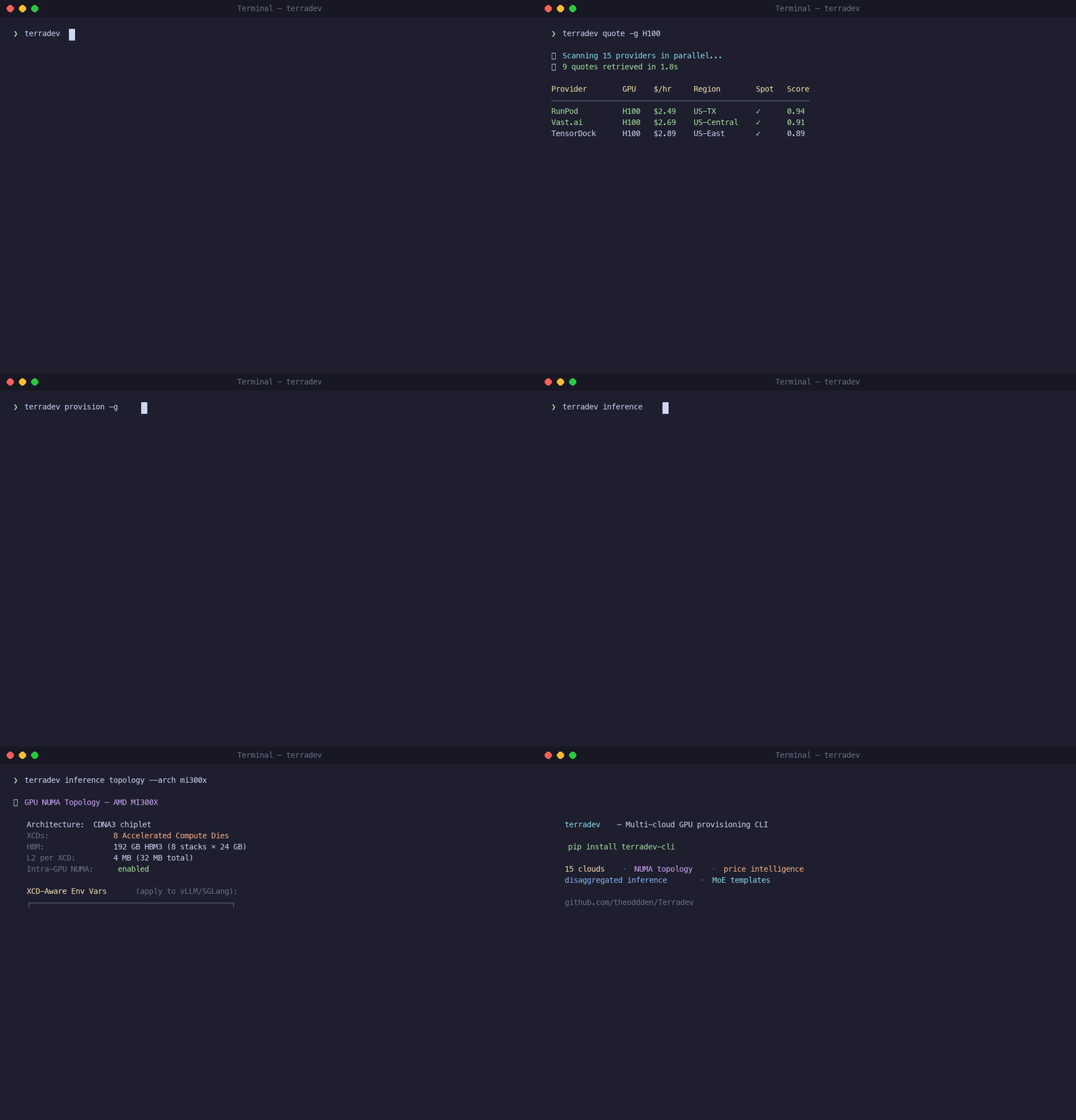
Compare GPU prices across 19 clouds. Provision the cheapest one in one command. Automatic vLLM optimization included.
The most advanced vLLM optimization system - automatically analyzes your workload patterns and optimizes the 6 critical knobs most teams never touch:
# Auto-optimize based on your actual workload
terradev vllm auto-optimize -s workload.json -m meta-llama/Llama-2-7b-hf -g 4

# Analyze running server for optimization
terradev vllm analyze -e http://localhost:8000

# Generate optimized configurations
terradev vllm optimize -m mistralai/Mistral-7B-v0.1 -t throughput -o helm
Performance Gains:
- 2-8x throughput improvements typical
- 10-20% latency reduction for sensitive workloads
- Zero manual tuning required - intelligent workload analysis
- Dynamic adaptation - adjusts as patterns change
--max-num-batched-tokens- 2048→16384 (8x throughput)--gpu-memory-utilization- 0.90→0.95 (5% more VRAM)--max-num-seqs- 256/1024→512-2048 (prevent queuing)--enable-prefix-caching- OFF→ON (free throughput win)--enable-chunked-prefill- OFF→ON (better prefill)- CPU Core Allocation - 2 + #GPUs (prevent starvation)
- QPS Pattern Recognition - High traffic → larger batches
- Prompt Length Analysis - Long prompts → chunked prefill
- Concurrency Detection - Multi-user → higher sequence limits
- Latency Sensitivity - Balanced vs aggressive optimization
- Memory Pressure - Conservative vs aggressive GPU utilization
Production-ready GitOps workflows based on real-world Kubernetes experience:
# Initialize GitOps repository
terradev gitops init --provider github --repo my-org/infra --tool argocd --cluster production

# Bootstrap GitOps tool on cluster
terradev gitops bootstrap --tool argocd --cluster production

# Sync cluster with Git repository
terradev gitops sync --cluster production --environment prod

# Validate configuration
terradev gitops validate --dry-run --cluster production- Multi-Provider Support: GitHub, GitLab, Bitbucket, Azure DevOps
- Tool Integration: ArgoCD and Flux CD support
- Repository Structure: Automated GitOps repository setup
- Policy as Code: Gatekeeper/Kyverno policy templates
- Multi-Environment: Dev, staging, production environments
- Resource Management: Automated quotas and network policies
- Validation: Dry-run and apply validation
- Security: Best practices and compliance policies
my-infra/
├── clusters/
│   ├── dev/
│   ├── staging/
│   └── prod/
├── apps/
├── infra/
├── policies/
└── monitoring/
Deploy any HuggingFace model to Spaces with one command:
# Install HF Spaces support
pip install terradev-cli[hf]

# Set your HF token
export HF_TOKEN=your_huggingface_token

# Deploy Llama 2 with one click
terradev hf-space my-llama --model-id meta-llama/Llama-2-7b-hf --template llm

# Deploy custom model with GPU
terradev hf-space my-model --model-id microsoft/DialoGPT-medium \
  --hardware a10g-large --sdk gradio

# Result:
# Space URL: https://huggingface.co/spaces/username/my-llama
# 100k+ researchers can now access your model!- One-Click Deployment: No manual configuration required
- Template-Based: LLM, embedding, and image model templates
- Multi-Hardware: CPU-basic to A100-large GPU tiers
- Auto-Generated Apps: Gradio, Streamlit, and Docker support
- Revenue Streams: Hardware upgrades, private spaces, template licensing
# LLM Template (A10G GPU)
terradev hf-space my-llama --model-id meta-llama/Llama-2-7b-hf --template llm

# Embedding Template (CPU-upgrade)
terradev hf-space my-embeddings --model-id sentence-transformers/all-MiniLM-L6-v2 --template embedding

# Image Model Template (T4 GPU)
terradev hf-space my-image --model-id runwayml/stable-diffusion-v1-5 --template imageProduction-ready cluster configs optimized for Mixture-of-Experts models — the dominant architecture for every major 2026 release (GLM-5, Qwen 3.5, Mistral Large 3, DeepSeek V4, Llama 5).
# Deploy any MoE model with one command
terradev provision --task clusters/moe-template/task.yaml \
  --set model_id=zai-org/GLM-5-FP8 --set tp_size=8

# Or Qwen 3.5 flagship
terradev provision --task clusters/moe-template/task.yaml \
  --set model_id=Qwen/Qwen3.5-397B-A17B

# Kubernetes
kubectl apply -f clusters/moe-template/k8s/

# Helm
helm upgrade --install moe-inf ./helm/terradev \
  -f clusters/moe-template/helm/values-moe.yaml \
--set model.id=zai-org/GLM-5-FP8- Any MoE Model: Parameterized for GLM-5, Qwen 3.5, Mistral Large 3, DeepSeek V4, Llama 5
- NVLink Topology: Enforced single-node TP with NUMA alignment
- vLLM + SGLang: Both serving backends supported
- FP8 Quantization: Half the VRAM of BF16 on H100/H200
- GPU-Aware Autoscaling: HPA on DCGM metrics and vLLM queue depth
- Multi-Cloud: RunPod, Vast.ai, Lambda, AWS, CoreWeave
Every MoE deployment automatically includes vLLM optimizations that reduce your inference costs — no configuration needed:
| Optimization | What it does | Impact |
|---|---|---|
| FlashInfer Fused Attention | Persistent kernel fuses RMSNorm + QKV + RoPE + attention — eliminates ~50% memory pipeline bubbles between kernel launches | ~1.7x memory bandwidth utilization |
| LMCache Distributed KV Cache | Shares KV cache across vLLM instances via Redis — eliminates redundant prefill computation | 3-10x TTFT reduction |
| KV Cache Offloading | Spills KV cache to CPU DRAM so the GPU never recomputes prefills | Up to 9x throughput |
| MTP Speculative Decoding | Small draft predictions verified in batch by the full model | Up to 2.8x generation speed |
| Sleep Mode | Idle models hibernate to CPU RAM instead of holding GPU memory | 18-200x faster than cold restart |
| Expert Parallel Load Balancer | Rebalances MoE expert routing at runtime based on actual traffic | Eliminates GPU hotspots |
| DeepEP + DeepGEMM | Optimized all-to-all and GEMM kernels for MoE expert computation | Lower per-token latency |
Serve N fine-tuned models on one base MoE model, on one GPU set. Uses vLLM's fused_moe_lora kernel (454% higher output tokens/sec, 87% lower TTFT). Supported: GPT-OSS, Qwen3-MoE, DeepSeek, Llama MoE.
# Deploy base model normally — optimizations are automatic
terradev provision --task clusters/moe-template/task.yaml \
  --set model_id=Qwen/Qwen3.5-397B-A17B

# Hot-load customer adapters onto the running endpoint
terradev lora add -e http://<endpoint>:8000 -n customer-a -p /adapters/customer-a
terradev lora add -e http://<endpoint>:8000 -n customer-b -p /adapters/customer-b

# Each adapter is a model name in the OpenAI-compatible API
curl http://<endpoint>:8000/v1/chat/completions \
  -d '{"model": "customer-a", "messages": [...]}'

# List / remove adapters
terradev lora list -e http://<endpoint>:8000
terradev lora remove -e http://<endpoint>:8000 -n customer-b
See clusters/moe-template/ for full docs and clusters/glm-5/ for a model-specific example.
v3.4.0 makes Terradev production-ready in any environment — including sandboxed runtimes like Claude Code — by eliminating hard-crash import failures and adding a complete training orchestration pipeline.
- Lazy Provider Loading:
ProviderFactoryno longer eagerly imports all cloud SDKs. Each provider is loaded on first use — missingboto3won't crash the CLI if you're only using RunPod. - Graceful Dependency Fallbacks:
stripe,numpy,boto3wrapped intry/exceptwith clear error messages. The CLI boots and runs every local command even with zero optional deps installed. - stdlib NumPy Shim:
price_discoveryandcost_optimizerfall back to Python'sstatisticsmodule when NumPy is absent. - Training Orchestrator: DAG-parallel training launch across multi-node GPU clusters via
torchrun,deepspeed,accelerate, ormegatron. - Training Monitor: Real-time GPU utilization, memory, temperature, and cost tracking per node.
- Checkpoint Manager: DAG-parallel shard writes with manifest assembly, remote upload, and state DB tracking.
- Preflight Validator: Pre-launch checks for GPU availability, NCCL, RDMA, and driver versions across all nodes.
- Job State Manager: SQLite-backed job lifecycle (created → running → completed/failed) with checkpoint history.
- Provision-to-Train Bridge:
terradev train --from-provision latestresolves IPs from your lastprovisioncommand automatically. - 294 Tests Passing: Comprehensive test suite covering core modules, provider contracts, and CLI smoke tests.
# Full training pipeline
terradev provision -g H100 -n 4 --parallel 6      # Provision 4x H100s
terradev train --script train.py --from-provision latest  # Launch on provisioned nodes
terradev train-status                                # Check all training jobs
terradev checkpoint list --job my-job               # List checkpoints
terradev monitor --job my-job # Live GPU metricsv3.3.0 adds first-class support for Wide Expert Parallelism (EP), disaggregated Prefill/Decode serving, and NIXL KV cache transfer — the production stack for serving 600B+ MoE models at scale.
# Deploy GLM-5 with Wide-EP across 32 GPUs (TP=1, DP=32)
terradev ml ray --deploy-wide-ep \
  --model zai-org/GLM-5-FP8 \
  --tp-size 1 --dp-size 32

# Disaggregated Prefill/Decode with NIXL KV transfer
terradev ml ray --deploy-pd \
  --model zai-org/GLM-5-FP8 \
  --prefill-tp 8 --decode-tp 1 --decode-dp 24

# SGLang serving with EP + EPLB + DBO
terradev ml sglang --start --instance-ip <IP> \
  --model zai-org/GLM-5-FP8 \
  --tp-size 1 --dp-size 8 \
--enable-expert-parallel --enable-eplb --enable-dbo- Ray Serve LLM Integration:
build_dp_deploymentandbuild_pd_openai_appfor Wide-EP and disaggregated P/D serving via Ray Serve - Expert Parallelism (EP): Distribute MoE experts across GPUs — serve 744B models on 8 GPUs where pure TP would OOM
- Expert Parallel Load Balancer (EPLB): Runtime expert rebalancing based on actual token routing patterns
- Dual-Batch Overlap (DBO): Overlap compute with all-to-all communication for higher throughput
- DeepEP + DeepGEMM: Environment variables auto-configured for optimized MoE kernels
- NIXL KV Connector: Zero-copy GPU-to-GPU KV cache transfer over RDMA/NVLink for disaggregated serving
- MoE-Aware Orchestrator: Memory estimation uses weight vs active parameter distinction (744B total, 40B active)
- EP Group Routing: Inference router tracks expert ranges per rank and routes to the GPU hosting target experts
- SGLang Lifecycle: Real SSH/systemd server management matching vLLM —
start_server,stop_server,install_on_instance - Transport-Aware P/D Routing: Prefers NIXL+RDMA > NIXL > LMCache for KV cache handoff scoring
| Model | Total Params | Active Params | FP8 Weight | Per-GPU (EP=8) |
|---|---|---|---|---|
| GLM-5 | 744B | 40B | ~380GB | ~55GB |
| DeepSeek V3 | 671B | 37B | ~340GB | ~50GB |
| Qwen 3.5 | 397B | 17B | ~200GB | ~32GB |
pip install terradev-cli==3.6.2With vLLM optimization and HF Spaces support:
pip install terradev-cli[vllm]      # vLLM optimization features
pip install terradev-cli[hf]        # HuggingFace Spaces deployment
pip install terradev-cli[all] # All cloud providers + ML services + HF Spaces + vLLM# 1. Get setup instructions for any provider
terradev setup runpod --quick
terradev setup aws --quick
# 2. Configure your cloud credentials (BYOAPI — you own your keys)
terradev configure --provider runpod
terradev configure --provider aws
terradev configure --provider vastai
# 3. Deploy to HuggingFace Spaces (NEW!)
terradev hf-space my-llama --model-id meta-llama/Llama-2-7b-hf --template llm
terradev hf-space my-embeddings --model-id sentence-transformers/all-MiniLM-L6-v2 --template embedding
terradev hf-space my-image --model-id runwayml/stable-diffusion-v1-5 --template image
# 4. Optimize vLLM automatically (NEW!)
terradev vllm auto-optimize -s workload.json -m meta-llama/Llama-2-7b-hf -g 4
terradev vllm analyze -e http://localhost:8000 # Analyze running server
terradev vllm benchmark -e http://localhost:8000 -c 10 # Performance test
# 5. Get enhanced quotes with conversion prompts
terradev quote -g A100
terradev quote -g A100 --quick # Quick provision best quote
# 6. Provision the cheapest instance (real API call)
terradev provision -g A100
# 7. Configure ML services
terradev configure --provider wandb --dashboard-enabled true
terradev configure --provider langchain --tracing-enabled true
# 8. Use ML services
terradev ml wandb --test
terradev ml langchain --create-workflow my-workflow
# 9. View analytics
python user_analytics.py
# 10. Provision 4x H100s in parallel across multiple clouds
terradev provision -g H100 -n 4 --parallel 6
# 10. Dry-run to see the allocation plan without launching
terradev provision -g A100 -n 2 --dry-run
# 11. Manage running instances
terradev status --live
terradev manage -i <instance-id> -a stop
terradev manage -i <instance-id> -a start
terradev manage -i <instance-id> -a terminate
# 12. Execute commands on provisioned instances
terradev execute -i <instance-id> -c "python train.py"
# 13. Stage datasets near compute (compress + chunk + upload)
terradev stage -d ./my-dataset --target-regions us-east-1,eu-west-1
# 14. View cost analytics from the tracking database
terradev analytics --days 30
# 15. Find cheaper alternatives for running instances
terradev optimize
# 16. One-command Docker workload (provision + deploy + run)
terradev run --gpu A100 --image pytorch/pytorch:latest -c "python train.py"
# 17. Keep an inference server alive
terradev run --gpu H100 --image vllm/vllm-openai:latest --keep-alive --port 8000Terradev never touches, stores, or proxies your cloud credentials through a third party. Your API keys stay on your machine in ~/.terradev/credentials.json — encrypted at rest, never transmitted.
How it works:
- You run
terradev configure --provider <name>and enter your API key - Credentials are stored locally in your home directory — never sent to Terradev servers
- Every API call goes directly from your machine to the cloud provider
- No middleman account, no shared credentials, no markup on provider pricing
Why this matters:
- Zero trust exposure — No third party holds your AWS/GCP/Azure keys
- No vendor lock-in — If you stop using Terradev, your cloud accounts are untouched
- Enterprise-ready — Compliant with SOC2, HIPAA, and internal security policies that prohibit sharing credentials with SaaS vendors
- Full audit trail — Every provision is logged locally with provider, cost, and timestamp
| Command | Description |
|---|---|
terradev configure |
Set up API credentials for any provider |
terradev quote |
Get real-time GPU pricing across all clouds |
terradev provision |
Provision instances with parallel multi-cloud arbitrage |
terradev manage |
Stop, start, terminate, or check instance status |
terradev status |
View all instances and cost summary |
terradev execute |
Run commands on provisioned instances |
terradev stage |
Compress, chunk, and stage datasets near compute |
terradev analytics |
Cost analytics with daily spend trends |
terradev optimize |
Find cheaper alternatives for running instances |
terradev run |
Provision + deploy Docker container + execute in one command |
| Command | Description |
|---|---|
terradev train |
Launch distributed training (torchrun/deepspeed/accelerate/megatron) |
terradev train --from-provision |
Auto-resolve nodes from last provision command |
terradev train-status |
List all training jobs and their state |
terradev monitor |
Real-time GPU metrics, utilization, cost tracking |
terradev checkpoint list |
List checkpoints for a training job |
terradev checkpoint save |
Manually trigger a checkpoint save |
terradev preflight |
Validate GPU, NCCL, RDMA, drivers before training |
| Command | Description |
|---|---|
terradev hf-space |
One-click HuggingFace Spaces deployment |
terradev inferx |
InferX serverless inference platform - <2s cold starts |
terradev infer-status |
Inference endpoint health and latency |
terradev infer-failover |
Auto-failover between inference endpoints |
terradev lora add |
Hot-load a LoRA adapter onto a running vLLM endpoint |
terradev lora list |
List loaded LoRA adapters |
terradev lora remove |
Hot-unload a LoRA adapter |
| Command | Description |
|---|---|
terradev up |
Manifest cache + drift detection |
terradev rollback |
Versioned rollback to any deployment |
terradev manifests |
List cached deployment manifests |
terradev gitops |
ArgoCD/Flux CD GitOps repository management |
terradev integrations |
Show status of W&B, Prometheus, and infra hooks |
terradev price-discovery |
Enhanced price analytics with confidence scoring |
# Deploy Llama 2 to HF Spaces
terradev hf-space my-llama --model-id meta-llama/Llama-2-7b-hf --template llm

# Deploy with custom hardware
terradev hf-space my-model --model-id microsoft/DialoGPT-medium \
  --hardware a10g-large --sdk gradio --private

# Deploy embedding model
terradev hf-space my-embeddings --model-id sentence-transformers/all-MiniLM-L6-v2 \
--template embedding --env BATCH_SIZE=64# Provision with manifest cache
terradev up --job my-training --gpu-type A100 --gpu-count 4
# Fix drift automatically
terradev up --job my-training --fix-drift
# Rollback to previous version
terradev rollback my-training@v2
# List all cached manifests
terradev manifests --job my-training# Start InferX serverless inference platform
terradev inferx start --model-id meta-llama/Llama-2-7b-hf --hardware a10g
# Deploy inference endpoint with auto-scaling
terradev inferx deploy --endpoint my-llama-api --model-id microsoft/DialoGPT-medium \
--hardware t4 --max-concurrency 100
# Get inference endpoint status and health
terradev inferx status --endpoint my-llama-api
# Route inference requests to optimal endpoint
terradev inferx route --query "What is machine learning?" --model-type llm
# Run failover tests for high availability
terradev inferx failover --endpoint my-llama-api --test-load 1000
# Get cost analysis for inference workloads
terradev inferx cost-analysis --days 30 --endpoint my-llama-apiTerradev facilitates connections to your existing tools via BYOAPI — your keys stay local, all data flows directly from your instances to your services.
| Integration | What Terradev Does | Setup |
|---|---|---|
| Weights & Biases | Auto-injects WANDB_* env vars into provisioned containers | terradev configure --provider wandb --api-key YOUR_KEY |
| Prometheus | Pushes provision/terminate metrics to your Pushgateway | terradev configure --provider prometheus --api-key PUSHGATEWAY_URL |
| Grafana | Exports a ready-to-import dashboard JSON | terradev integrations --export-grafana |
Prices queried in real-time from all 19 providers. Actual savings vary by availability.
| Feature | Research (Free) | Research+ ($49.99/mo) | Enterprise ($299.99/mo) | Enterprise+ ($0.09/GPU-hr) |
|---|---|---|---|---|
| Max concurrent instances | 1 | 8 | 32 | Unlimited |
| Provisions/month | 10 | 100 | Unlimited | Unlimited |
| User seats | 1 | 1 | 5 | Unlimited |
| Providers | All 19 | All 19 | All 19 + priority | All 19 + dedicated support |
| Cost tracking | Yes | Yes | Yes | Yes + fleet dashboard |
| Dataset staging | Yes | Yes | Yes | Yes |
| Egress optimization | Basic | Full | Full + custom routes | Full + custom routes |
| GPU-hour metering | - | - | - | $0.09/GPU-hr (32 GPU min) |
| Fleet management | - | - | - | Yes |
| SLA guarantee | - | - | Yes | Yes |
Enterprise+: Metered billing at $0.09 per GPU-hour with a minimum commitment of 32 GPUs. You always pay for at least 32 GPU-hours per hour ($2.88/hr floor) whether you use them or not — same model as AWS Reserved Instances. Billed monthly to your card via Stripe. Run
terradev upgrade -t enterprise_plusto get started.
pip install terradev-jupyter
%load_ext terradev_jupyter

%terradev quote -g A100
%terradev provision -g H100 --dry-run
%terradev run --gpu A100 --image pytorch/pytorch:latest --dry-run- uses: theodden/terradev-action@v1
with:
gpu-type: A100
max-price: "1.50"
env:
TERRADEV_RUNPOD_KEY: ${{ secrets.RUNPOD_API_KEY }}terradev run --gpu A100 --image pytorch/pytorch:latest -c "python train.py"
terradev run --gpu H100 --image vllm/vllm-openai:latest --keep-alive --port 8000Terradev v3.2 automatically optimizes GPU infrastructure topology — NUMA alignment, PCIe switch pairing, SR-IOV, RDMA, and kubelet Topology Manager configuration. You never configure any of this. It's applied automatically when you create clusters or provision GPU nodes.
When you run terradev k8s create my-cluster --gpu H100 --count 4:
| Layer | What Terradev auto-configures |
|---|---|
| NUMA Alignment | Kubelet Topology Manager set to restricted with prefer-closest-numa-nodes=true |
| CPU Pinning | cpuManagerPolicy: static for deterministic core assignment |
| GPUDirect RDMA | nvidia_peermem kernel module loaded on all GPU nodes |
| SR-IOV | VF-per-GPU pairing enabled for multi-node clusters |
| NCCL Tuning | NCCL_NET_GDR_LEVEL=PIX, NCCL_NET_GDR_READ=1, IB enabled |
| PCIe Locality | GPU-NIC pairs forced to same NUMA node (eliminates cross-socket penalty) |
| Karpenter | Topology-aware NodePool with correct instance families per GPU type |
Without topology optimization, Kubernetes randomly assigns GPUs and NICs across NUMA nodes and PCIe switches. A cross-socket GPU-NIC pairing can cut RDMA bandwidth by 30-50%. Terradev eliminates this class of performance bug entirely.
# All of this is automatic — just provision normally
terradev k8s create training-cluster --gpu H100 --count 8 --prefer-spot

# Output includes topology confirmation:
# 🧬 Topology optimization (auto-applied):
#    Kubelet Topology Manager: restricted (NUMA-aligned)
#    CPU Manager: static (pinned cores)
#    GPUDirect RDMA: enabled (nvidia_peermem)
#    SR-IOV: enabled (8 nodes, VF-per-GPU pairing)
#    NCCL: IB enabled, GDR_LEVEL=PIX, GDR_READ=1
# PCIe locality: GPU-NIC pairs forced to same NUMA nodeTerradev's topology module includes DRA (Dynamic Resource Allocation) and DRANET resource claim generation for K8s 1.31+. When KEP-4381 lands, Terradev will automatically use resource.kubernetes.io/pcieRoot constraints to enforce PCIe-switch-level GPU-NIC pairing — the finest granularity possible.
Access Terradev directly from Claude Code with the MCP server:
# Install the MCP server
npm install -g terradev-mcp

# Add to your Claude Code MCP configuration:
{
  "mcpServers": {
    "terradev": {
      "command": "terradev-mcp"
    }
  }
}

# Check MCP connection
/mcp

# Use Terradev commands naturally in Claude Code:
terradev quote -g H100
terradev provision -g A100 -n 4 --parallel 6
terradev k8s create my-cluster --gpu H100 --count 4 --multi-cloud
Features available through Claude Code:
- GPU price quotes across 19 providers
- Instance provisioning with cost optimization
- Kubernetes cluster creation and management
- Inference endpoint deployment (InferX)
- HuggingFace Spaces deployment
- Cost analytics and optimization
- Multi-cloud provider management
Security: BYOAPI - All credentials stay on your machine. Terradev never proxies API keys.
- Python >= 3.9
- Cloud provider API keys (configured via
terradev configure)
Business Source License 1.1 (BUSL-1.1) - see LICENSE file for details