




✨Transfer files over WiFi from your computer to your smartphone from the terminal✨
You will find the most updated version of QR-Code-Filetransfer here. But if you want the most stable version, use pip to install it
Global Install
pip3 install QR-Code-Filetransfer
Local Install
pip3 install --user QR-Code-Filetransfer
# clone the repo
$ git clone https://github.com/sadcode-org/QR-Code-Filetransfer.git

# change the working directory to QR-Code-Filetransfer
$ cd QR-Code-Filetransfer

# open file code-filetransfer again
$ cd code-filetransfer

# install the requirements
$ pip3 install -r requirements.txtusage: QR-Code-Filetransfer [-h] [--debug] [--receive] [--port PORT] file_path
Transfer files over WiFi between your computer and your smartphone from the
terminal
positional arguments:
file_path path that you want to transfer or store the received
file.
optional arguments:
-h, --help show this help message and exit
--debug, -d ehow the encoded url.
--receive, -r enable upload mode, received file will be stored at
given path.
--port PORT, -p PORT enable upload mode, received file will be stored at
given path.
Note: Both devices needs to be connected to the same network
Exiting
To exit the program, just press CTRL+C.
Transfer a single file
$ code-filetransfer /path/to/file.txtTransfer a full directory. Note: the directory gets zipped before being transferred
$ code-filetransfer /path/to/directory/Receive/upload a file from your phone to your computer
$ code-filetransfer -r /path/to/receive/file/to/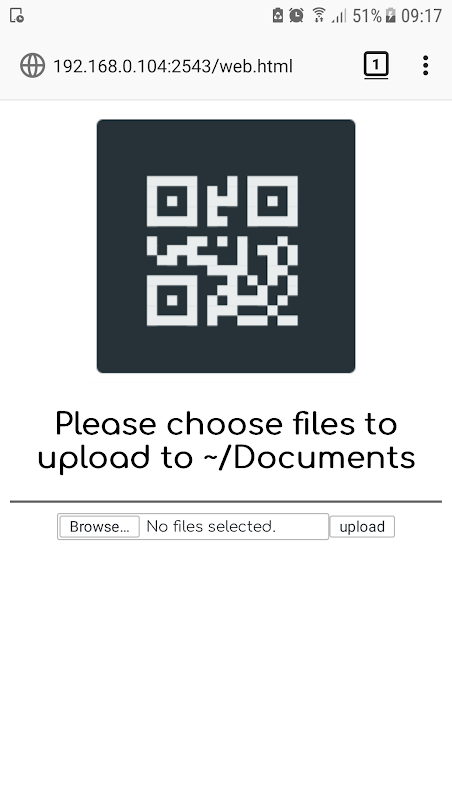
Inspired by the Go project qr-filetransfer
MIT License
Copyright © 2019 SadCode Official