

MonitorPy is a simple system tray Python application for Windows 10/11 that allows you to control brightness and contrast of multiple monitors directly from the tray.
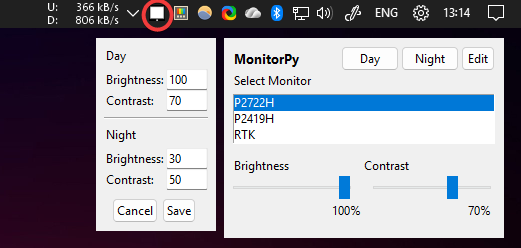
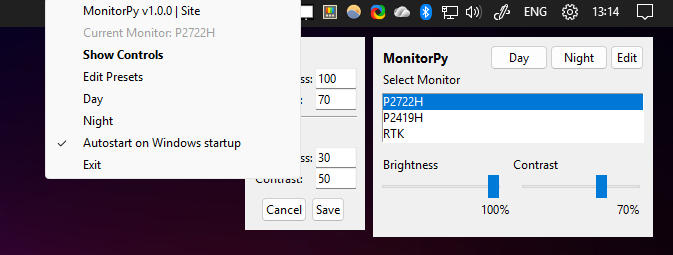
- Adjust brightness and contrast for connected monitors.
- System tray icon with quick access menu.
- Select between multiple monitors.
- Edit Presets for brightness and contrast.
- Autostart on Windows startup option.
- Lightweight and easy to use.
- Python 3.8+
The following dependencies are used only if you run Monitory.py or build the standalone executable.
-
Download and run the standalone
MonitorPy.exefile from the Releases section. To uninstall, just delete the file. -
Download
MonitorPy.py, install the dependencies with:pip install -r requirements.txt
and run
python MonitorPy.py
-
To build the standalone executable, use
PyInstaller:pyinstaller MonitorPy.spec
- The app discovers all connected monitors supporting DDC/CI.
- You can select a monitor and adjust its brightness and contrast using sliders, and presets.
- The tray icon provides quick access to show controls, presets and edit presets values, autostar and exit.
- If you see "No DDC/CI" next to a monitor, it means the monitor does not support DDC/CI or is not detected.
- Make sure you have the required permissions and drivers for monitor control.
MIT License
paulomarconi