




Automated time-lapse generator for UniFi Protect cameras
Captures daily snapshots at your chosen time and creates beautiful time-lapse videos showing changes over days, months, or years.
Watch your lawn, garden, construction project, or any outdoor space transform over time with automatically generated time-lapse videos.
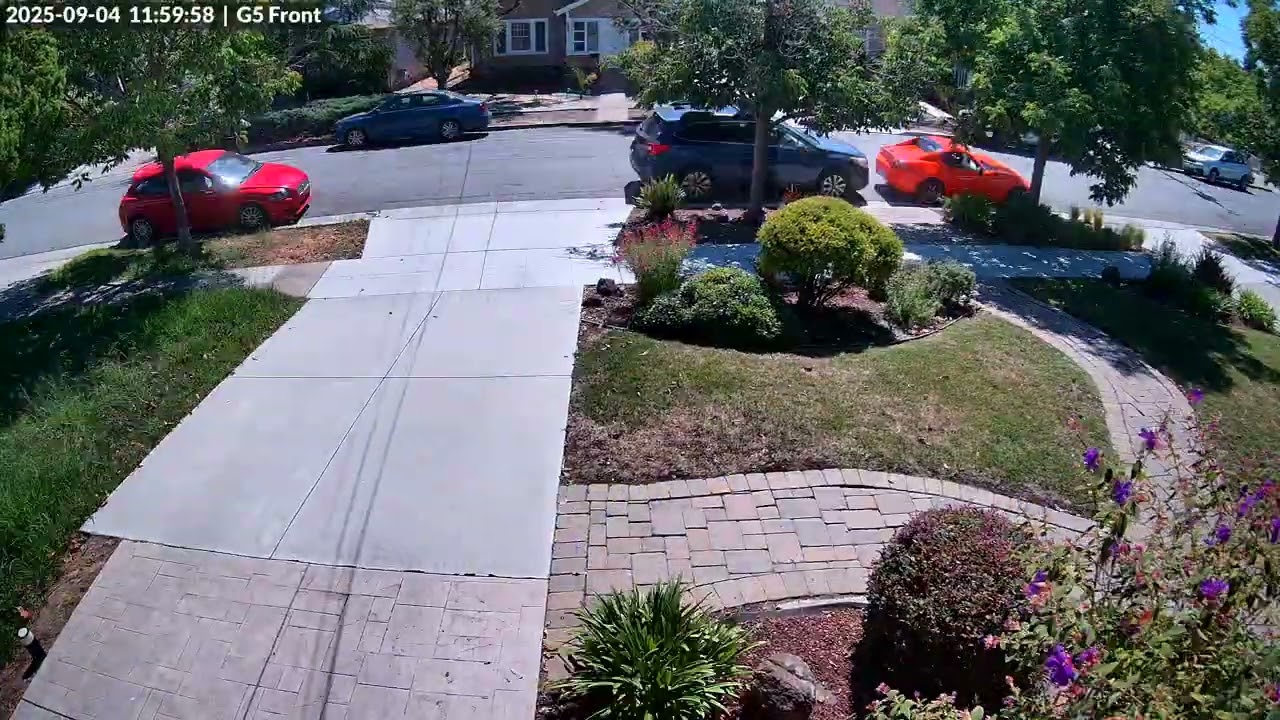
- 📸 Smart Setup - Auto-detects configuration and guides through setup on first run
- 🎥 Multi-Camera Support - Track multiple cameras with isolated snapshots and timelapses
- 🎬 Motion Interpolation - Cinematic 24fps with smooth frame blending for professional results
- 🔄 Smart Historical Backfill - Automatically fetches historical footage until recordings run out
- 💾 Permanent Archive - Stores snapshots locally forever (beyond NVR retention limits)
- 🔐 Simple Authentication - Uses username/password for easy setup
- ⏰ Advanced Scheduling - Fixed times, intervals, or sunrise/sunset based captures
- 📊 Progress Tracking - Shows detailed progress during snapshot fetching
- 🎯 Smart Defaults - Optimized settings out of the box (24fps with interpolation, best quality)
- Node.js 18+ (required for modern JavaScript features)
- ffmpeg installed (
brew install ffmpegon macOS,apt install ffmpegon Linux) - UniFi Protect system with at least one camera
- Admin access to UniFi Protect
No installation needed! Just run:
npx lawn-lapseThat's it! The first time you run it, you'll be guided through an interactive setup that will:
- Connect to your UniFi Protect system
- Select your camera(s)
- Fetch historical snapshots (as far back as your NVR has them!)
- Generate your first time-lapse video
Want to install it? You can optionally install globally:
npm install -g lawn-lapse
lawn  # Now you can just type "lawn"!
For developers: Clone the repo and run npm install && npm start
lawn [command]When run without arguments:
- First run: Automatically starts interactive setup
- Subsequent runs: Captures snapshots and updates time-lapse
| Command | Description |
|---|---|
lawn |
Run capture (auto-setup if first time) |
lawn status |
Show configuration and statistics |
lawn cron |
Set up or update automated daily captures |
lawn version |
Show version number |
lawn help |
Display help information |
Add -v or --verbose flag for detailed output:
lawn -v # Shows ffmpeg output and detailed loggingOn first run, lawn will guide you through:
-
UniFi Protect Connection
- Host/IP address (defaults to 192.168.1.1)
- Username (defaults to admin)
- Password
-
Camera Selection
- Shows all available cameras with model info
- Indicates offline cameras
- Displays resolution capabilities
- Multi-camera support: Select multiple cameras for parallel tracking
- Each camera gets its own snapshot and timelapse directories
-
Snapshot Settings
- Capture time (24-hour format, defaults to 12:00)
- Output directories auto-generated per camera (e.g.,
./snapshots/front-yard/)
-
Automation Setup
- Optional cron job installation
- Automatic daily captures at specified time for all cameras
Settings are stored in lawn.config.json:
{
  "version": 2,
  "unifi": {
    "host": "192.168.1.1",
    "username": "admin",
    "password": "your-password"
  },
  "schedule": {
    "timezone": "America/Los_Angeles",
    "mode": "fixed-time",
    "fixedTimes": ["12:00"]
  },
  "cameras": [
    {
      "id": "abc123",
      "name": "Front Yard",
      "snapshotDir": "./snapshots/front-yard",
      "timelapseDir": "./timelapses/front-yard",
      "video": { "fps": 24, "quality": 1, "interpolate": true }
    },
    {
      "id": "def456",
      "name": "Back Yard",
      "snapshotDir": "./snapshots/back-yard",
      "timelapseDir": "./timelapses/back-yard",
      "video": { "fps": 24, "quality": 1, "interpolate": true }
    }
  ]
}
⚠️ Security Note: Keeplawn.config.jsonsecure and never commit it to version control
- Daily Capture: At your specified time, captures a frame from the camera
- Historical Backfill: On first run, walks backward through available UniFi recordings until no footage remains
- Smart Fetching: Only downloads missing snapshots, skips existing ones
- Progress Display: Shows
[n/total]progress for each snapshot
- Auto-detection: Finds the highest resolution from your snapshots
- Smart Scaling: Maintains aspect ratio while maximizing quality
- Optimized Encoding: Uses H.264 with slow preset for best compression
- Configurable FPS: Default 24fps with motion interpolation for cinematic smooth playback
lawn-lapse/
├── snapshots/              # Per-camera snapshot directories
│   ├── front-yard/
│   │   ├── 2024-01-01_1200.jpg
│   │   ├── 2024-01-02_1200.jpg
│   │   └── ...
│   └── back-yard/
│       ├── 2024-01-01_1200.jpg
│       └── ...
├── timelapses/             # Per-camera timelapse directories
│   ├── front-yard/
│   │   └── timelapse_12h00_2024-01-01_to_2024-03-15.mp4
│   └── back-yard/
│       └── timelapse_12h00_2024-01-01_to_2024-03-15.mp4
├── lawn.config.json        # Project configuration
└── logs/lawn-lapse.log     # Cron job logs
lawn statusShows:
- Total snapshots collected
- Date range of footage
- Gap detection in sequence
- Time-lapse videos generated
- Cron job status
- Last capture time
🎥 Lawn Lapse Status Report
============================================================

📷 Cameras (2 configured):
============================================================

📹 Front Yard (abc123)
------------------------------------------------------------
  Snapshots: ./snapshots/front-yard
  Timelapses: ./timelapses/front-yard

  📸 Snapshots: 45 at 12:00
     Range: 2024-01-01 to 2024-02-14
     ✓ No gaps

  🎬 Time-lapses: 1 video(s)
     Latest: timelapse_12h00_2024-01-01_to_2024-02-14.mp4 (8.3MB)
     Covers: 45 days (2024-01-01 to 2024-02-14)

📹 Back Yard (def456)
------------------------------------------------------------
  Snapshots: ./snapshots/back-yard
  Timelapses: ./timelapses/back-yard

  📸 Snapshots: 42 at 12:00
     Range: 2024-01-04 to 2024-02-14
     ✓ No gaps

  🎬 Time-lapses: 1 video(s)
     Latest: timelapse_12h00_2024-01-04_to_2024-02-14.mp4 (7.1MB)
     Covers: 42 days (2024-01-04 to 2024-02-14)

⏰ Cron Job:
  ✓ Active: Daily at 12:00

🔐 Authentication:
  ✓ Credentials configured
  Username: admin

============================================================
📊 Summary:
  ✓ System operational: 2 camera(s), 87 total snapshot(s), 2 time-lapse(s)
| Problem | Solution |
|---|---|
| "No cameras found" | Ensure UniFi Protect is accessible and user has admin privileges |
| "Authentication failed" | Check username/password, ensure 2FA is disabled for API access |
| Timeout errors | Reduce video duration or check network connectivity |
| Missing snapshots | Verify camera was online and recording at capture time |
| Cron not running | Check cron service is enabled: sudo launchctl load -w /System/Library/LaunchDaemons/com.vix.cron.plist |
Run with verbose flag for detailed debugging:
lawn -vForce an immediate capture regardless of schedule:
npm exec lawnContributions are welcome! Please see CONTRIBUTING.md for guidelines.
# Clone repository
git clone https://github.com/dweekly/lawn-lapse.git
cd lawn-lapse

# Install dependencies
npm install

# Run in development
node lawn-lapse.js -v

# Format code
npm run format

# Lint code
npm run lintThe project exports several key functions for programmatic use:
import { runSetup, runCapture } from "./lawn-lapse.js";

// Run interactive setup
await runSetup();

// Capture snapshots and generate time-lapse
await runCapture();
See API.md for detailed documentation.
- Credentials are stored locally in
lawn.config.json - Never commit
lawn.config.jsonto version control - Uses UniFi Protect's official API library
- No external services or telemetry
- All data stays on your local machine
MIT License - see LICENSE file for details
- Built with unifi-protect library
- Inspired by traditional time-lapse photography techniques
- Thanks to the UniFi Protect community
- Issues: GitHub Issues
- Discussions: GitHub Discussions
Made with ❤️ for the UniFi Protect community