
This fork extends the original lnbits/bitcoinswitch with major new features and hardware support:
- Native support for Waveshare relay board (8 relays, 8 digital inputs)
- I2C relay control via TCA9554 expander
- Digital input monitoring with 1:1 relay-to-input mapping
- W5500 Ethernet (SPI) with automatic WiFi fallback
- WiFi can be disabled by leaving credentials blank
- WS2812 RGB LED (GPIO 38) replaces TFT display
- Multi-state LED patterns for boot, config, network, WebSocket, payment, and error
- SPIFFS-based config file with serial protocol
- Python configuration tool with interactive config mode detection and remote reset
- No physical button required for configuration
- /reset and /reboot commands accepted in both config and normal operation
- /status command for runtime diagnostics
- Automatic time sync on network connect
- Real UTC timestamps in logs and Telegram alerts
- Monitors digital inputs after relay activation to detect mechanical failures
- Configurable timeout and active state
- Sends alerts for payments, lock failures, and status events (optional)
- SPIFFS-based persistent event log (human-readable)
- RAM circular buffer for recent events
- Optional syslog/network logging
- Ethernet/WiFi/WebSocket state tracking with automatic recovery
- 2-second stabilization delay before WebSocket connection
- Detailed serial debug output for all major subsystems
- Error/status reporting via LED, serial, and (optionally) Telegram
- All new features are optional and backward-compatible with original config
- Hardcoded mode for development/testing

👉 An absolutely incredible bitcoinSwitch guide by Axel 👈
Also check out our video tutorial.
✅ $8 worth parts / 15min setup
✅ Websockets for blazingly fast turning on the things
✅ Web-installer/config for easy setup
✅ Support for MULTIPLE GPIOS/LNURLs (!)
Flash and configure via webinstaller https://bitcoinswitch.lnbits.com/


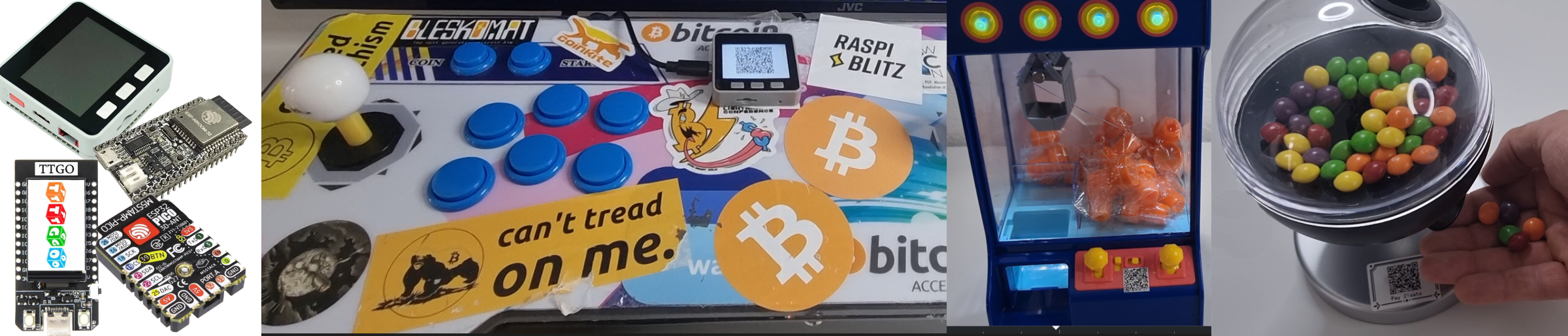
There is a broad range of things from lamps, to candy-, claw or even arcade machines that can be turned on by a lightning payment with Clicky. Have a look at the LNbits shop what we did or check the LNbits wiki on how to build those yourself.
-
esp32 dev kit
-
High level relais
-
Female to male and male to male cables
-
Data cable
-
Optional: a case
-
Desktop PC
-
LNbits LNURLdevice Extension
-
Something to turn on


Once flashed, press GPIO4 in few seconds of ESP32 booting up to be able to config.
Got questions ? Join us t.me/lnbits, t.me/makerbits
-
Install Arduino IDE 1.8.19
-
Install ESP32 boards, using boards manager

-
Download this repo
-
Copy these libraries into your Arduino install "libraries" folder
-
Open this bitcoinSwitch.ino file in the Arduino IDE
-
Select the correct ESP32 board from tools>board
-
Upload to device

build with arduino-cli
sh build.shbuild webinstaller, fetch main assets from lnbits.github.io
sh build-installer.shstart preview
cd installer
http-server -p 8080
compiling
arduino-cli compile --build-path build --fqbn esp32:esp32:esp32 bitcoinSwitchmonitoring
arduino-cli monitor -p /dev/ttyUSB1 -c baudrate=115200uploading
arduino-cli upload --fqbn esp32:esp32:esp32 --input-dir build -p /dev/ttyUSB1 -