#Green Conscious Semester Project:
A web application that allows users to find products that have a positive impact on the world.
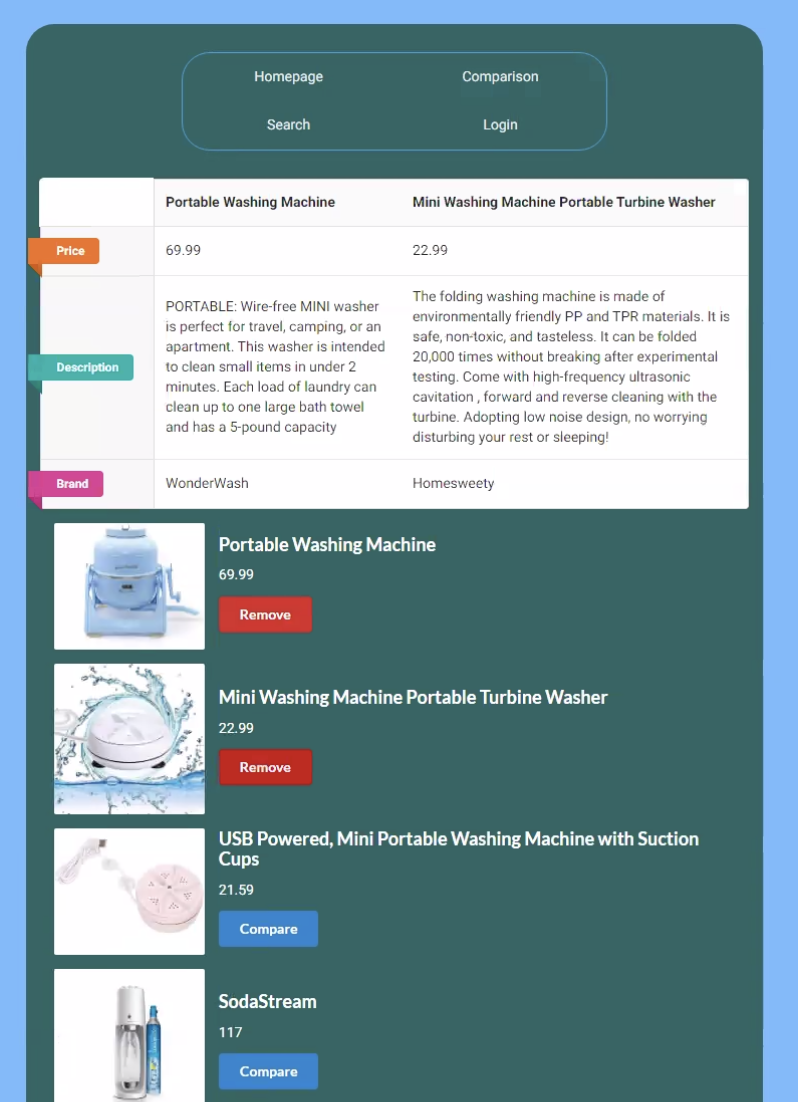
Users can compare products and get redirected to a purchase link.
We hope that with our project, users will have peace of mind knowing the products they buy are ethically sourced and easy to locate on our website.
!( )
)
!( )
)
##Download and Installation Begin by downloading the codebase from this GitHub page either from the "download zip" option off the green "Code" button or by running this command:
git clone https://github.com/NickYoungren/SemesterProject.git
Ensure node.js is installed You can download the node.js source code at https://nodejs.org/en/download/ and check if the code is installed using the command “node -v” on a command line.
In a terminal, navigate to the main directory of the project “SemesterProject”. Run the command “npm install”. Navigate to SemesterProject/backend and run “npm install”. Navigate to SemesterProject/frontend and run “npm install”.
Run “npm uninstall react-router-dom” and then “npm install react-router-dom@5”. The latest, 6th version of react-router-dom is not compatible with this project.
###Open two terminals, one in “SemesterProject/backend”, and another in “SemesterProject/frontend”. In the backend terminal, run “node server”. You should see the response “listening on port 5000”. The server is now active. If you don’t see this comment (or see “bash: nodemon: command not found”), try the command “npm install -g nodemon” and then “nodemon server” In the frontend terminal, run “npm start”. This should open a tab in your browser to localhost:3000/api/v1/ and display the homepage of the web application.