A distributed job scheduling system built on .NET 10





Milvaion is a distributed job scheduling system that separates the scheduler (API that decides when jobs run) from the workers (processes that execute jobs), connected via Redis and RabbitMQ.
┌─────────────────┐        ┌─────────────────┐       ┌─────────────────┐
│  Milvaion API   │        │    RabbitMQ     │       │    Workers      │
│  (Scheduler)    │───────>│  (Job Queue)    │──────>│  (Executors)    │
│                 │        │                 │       │                 │
│ • REST API      │        │ • Job messages  │       │ • IJob classes  │
│ • Dashboard     │        │ • Status queues │       │ • Retry logic   │
│ • Cron parsing  │<───────│ • Log streams   │<──────│ • DI support    │
└─────────────────┘        └─────────────────┘       └─────────────────┘
Most job schedulers run jobs inside the same process as the scheduling logic. This works fine until:
- A long-running job blocks other jobs from executing
- A crashing job takes down the entire scheduler
- You need different hardware for different job types (e.g., GPU for ML jobs)
- You want to scale job execution independently from the API
Milvaion solves these problems by completely separating scheduling from execution.
- At-least-once delivery via RabbitMQ manual ACK
- Automatic retries with exponential backoff
- Dead Letter Queue for failed jobs after max retries
- Zombie detection recovers stuck jobs
- Auto disable always failing jobs (configurable threshold)
- Horizontal worker scaling - add more workers for more throughput
- Job-type routing - route specific jobs to specialized workers
- Independent scaling - scale API and workers separately
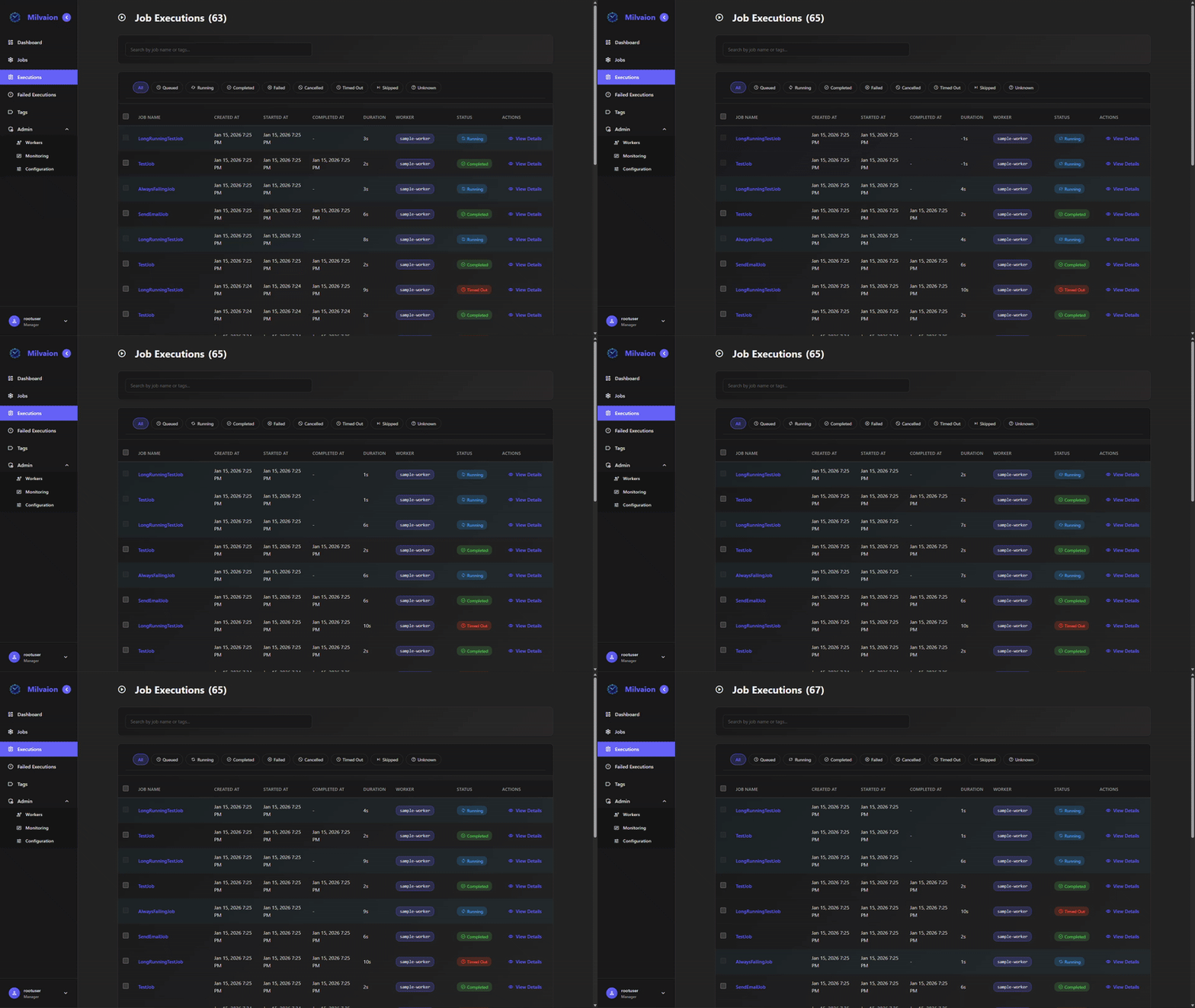
- Real-time dashboard with SignalR updates
- Execution logs - User-friendly logs stored in occurrences + technical logs to Seq
- Worker health monitoring via heartbeats
- OpenTelemetry support for metrics and tracing
- Simple
IJobinterfaces - implement one method - Full DI support - inject services into jobs
- Auto-discovery - jobs registered automatically
- Cancellation support - graceful shutdown
- Project templates - get started quickly with
dotnet new
- HTTP Worker - Call REST APIs on schedule
- SQL Worker - Execute database queries
- Email Worker - Send emails via SMTP
- Maintenance Worker - Milvaion self data warehouse cleanup and archival
Already using Quartz.NET or Hangfire? Keep your existing scheduler and gain Milvaion's monitoring capabilities:
| Scheduler | Package | Status |
|---|---|---|
| Quartz.NET | Milvasoft.Milvaion.Sdk.Worker.Quartz |
✅ Available |
| Hangfire | Milvasoft.Milvaion.Sdk.Worker.Hangfire |
✅ Available |
// Quartz.NET Integration
builder.Services.AddMilvaionQuartzIntegration(builder.Configuration);
builder.Services.AddQuartz(q => q.UseMilvaion(builder.Services));

// Hangfire Integration
builder.Services.AddMilvaionHangfireIntegration(builder.Configuration);
builder.Services.AddHangfire((sp, config) => config.UseMilvaion(sp));
External jobs appear in Milvaion dashboard with full monitoring, metrics, and execution history - without changing your existing scheduler setup.
- Docker Desktop (v20.10+) with Docker Compose
- Web browser for the dashboard
# Clone the repository
git clone https://github.com/Milvasoft/milvaion.git
cd milvaion

# Start all services
docker compose up -dOpen http://localhost:5000 in your browser.
- Default username:
rootuser - Get password:
admin(which is defined in docker-compose.yml) or if not defined auto generated password :docker logs milvaion-api 2>&1 | grep -i "password"
curl -X POST http://localhost:5000/api/v1/jobs/job \
  -H "Content-Type: application/json" \
  -d '{
    "displayName": "My First Job",
    "workerId": "sample-worker-01",
    "selectedJobName": "SampleJob",
    "cronExpression": "* * * * *",
    "isActive": true,
    "jobData": "{\"message\": \"Hello from Milvaion!\"}"
}'Milvaion follows Onion Architecture principles with clear separation of concerns:

milvaion/
├── src/
│   ├── Core/
│   │   ├── Milvaion.Domain/          # Entities, enums, domain logic
│   │   └── Milvaion.Application/     # Use cases, DTOs, interfaces
│   ├── Infrastructure/
│   │   └── Milvaion.Infrastructure/  # EF Core, external services
│   ├── Presentation/
│   │   └── Milvaion.Api/             # REST API, controllers, dashboard
│   ├── Sdk/
│   │   ├── Milvasoft.Milvaion.Sdk/        # Client SDK
│   │   └── Milvasoft.Milvaion.Sdk.Worker/ # Worker SDK
│   ├── Workers/
│   │   ├── HttpWorker/               # Built-in HTTP worker
│   │   ├── SqlWorker/                # Built-in SQL worker
│   │   ├── EmailWorker/              # Built-in Email worker
│   │   └── MilvaionMaintenanceWorker/ # Maintenance jobs
│   └── MilvaionUI/                   # React dashboard
├── tests/
│   ├── Milvaion.UnitTests/
│   └── Milvaion.IntegrationTests/
├── docs/
│   ├── portaldocs/                   # User documentation
│   └── githubdocs/                   # Developer documentation
└── build/                            # Build scripts

Build Order: Domain → Application → Infrastructure → Api → Tests
- .NET 10 SDK
- PostgreSQL 16
- Redis 7
- RabbitMQ 3.x
- Node.js 18+ (for UI development)
# Clone repository
git clone https://github.com/Milvasoft/milvaion.git
cd milvaion

# Start infrastructure (PostgreSQL, Redis, RabbitMQ)
docker compose up -d
# Unit tests
dotnet test tests/Milvaion.UnitTests

# Integration tests (requires infrastructure)
dotnet test tests/Milvaion.IntegrationTests

# All tests with coverage
dotnet test --collect:"XPlat Code Coverage"dotnet new install Milvasoft.Templates.Milvaiondotnet new milvaion-console-worker -n MyCompany.MyWorker
cd MyCompany.MyWorkerusing Milvasoft.Milvaion.Sdk.Worker.Abstractions;
public class MyCustomJob : IAsyncJob
{
private readonly IMyService _myService;
public MyCustomJob(IMyService myService)
{
_myService = myService;
}
public async Task ExecuteAsync(IJobContext context)
{
context.LogInformation("Starting my custom job...");
var data = JsonSerializer.Deserialize<MyJobData>(context.Job.JobData);
await _myService.ProcessAsync(data, context.CancellationToken);
context.LogInformation("Job completed successfully!");
}
}| Document | Description |
|---|---|
| Introduction | What is Milvaion, when to use it |
| Quick Start | Get running in under 10 minutes |
| Core Concepts | Architecture and key terms |
| Your First Worker | Create a custom worker |
| Implementing Jobs | Advanced job patterns |
| Configuration | All configuration options |
| Deployment | Docker and Kubernetes deployment |
| Reliability | Retry, DLQ, zombie detection |
| Scaling | Horizontal scaling strategies |
| Monitoring | Health checks, metrics, logging |
| Document | Description |
|---|---|
| Contributing | How to contribute |
| Architecture | Technical architecture deep-dive |
| Development | Development environment setup |
| Worker SDK | Worker SDK reference |
| Security | Security policies |
| Component | Technology |
|---|---|
| Backend | .NET 10, ASP.NET Core |
| Database | PostgreSQL 16, Entity Framework Core |
| Cache/Scheduling | Redis 7 |
| Message Queue | RabbitMQ 3.x |
| Frontend | React, TypeScript, Vite |
| Real-time | SignalR |
| Logging | Serilog, Seq |
| Metrics | OpenTelemetry, Prometheus |
| Testing | xUnit, FluentAssertions, Testcontainers |
| CI/CD | GitHub Actions, Docker |
- CQRS: MediatR, Milvasoft.Components.CQRS
- Data Access: Npgsql.EntityFrameworkCore.PostgreSQL, Milvasoft.DataAccess.EfCore
- Authentication: JWT Bearer, Milvasoft.Identity
- API: Asp.Versioning.Mvc, Scalar (OpenAPI)
- Validation: FluentValidation
- Messaging: RabbitMQ.Client
- CQRS (Command Query Responsibility Segregation)
- Mediator Pattern
- Repository Pattern
- Factory Pattern
- Outbox Pattern (for offline resilience)
- Leader Election (for dispatcher)
We welcome contributions! Please see our Contributing Guide for details.
- Fork the repository
- Create a feature branch (
git checkout -b feature/amazing-feature) - Make your changes
- Run tests (
dotnet test) - Commit your changes (
git commit -m 'feat: Add amazing feature.') - Push to the branch (
git push origin feature/amazing-feature) - Open a Pull Request
Please read our Code of Conduct before contributing.
| Package | Description | NuGet |
|---|---|---|
Milvasoft.Milvaion.Sdk |
Core SDK with domain models and shared types |  |
Milvasoft.Milvaion.Sdk.Worker |
Worker SDK for building job executors |  |
Milvasoft.Templates.Milvaion |
Project templates for creating workers |  |
# Core SDK (for shared types)
dotnet add package Milvasoft.Milvaion.Sdk

# Worker SDK (for building workers)
dotnet add package Milvasoft.Milvaion.Sdk.Worker

# Worker Templates
dotnet new install Milvasoft.Templates.Milvaion| Image | Description | Docker Hub |
|---|---|---|
milvasoft/milvaion-api |
Main API with scheduler and dashboard |  |
# Pull the latest image
docker pull milvasoft/milvaion-api:latest

# Run with Docker Compose
cd build
docker compose up -d- API: http://localhost:5000
- Dashboard: http://localhost:5000
- Grafana: http://localhost:3000 (admin/admin)
- Prometheus: http://localhost:9090
- RabbitMQ Management: http://localhost:15672 (guest/guest)
- Seq Logs: http://localhost:5341
This project is licensed under the Apache 2.0 License - see the LICENSE file for details.
Made with ❤️ by Milvasoft
